Scanning
infrastructure
for web apps
A 1.5 MB local service answers plain HTTP on the user's own machine. Any web app in the browser can scan through it. No plug-in, no applet, no SDK you are locked into.
Not a library.
Infrastructure.
Browsers removed the plug-ins, applets and ActiveX controls that used to reach a scanner. We did not replace them with another thing that lives inside the page. Most teams arrive here looking for a document scanning SDK, a web TWAIN library or a JavaScript scanner, and ScanBridge does that job. It is simply not a library you compile into your build.
Every internal app.
The MSI installs for the signed in user, without administrator rights. From then on every internal web app on that machine talks to the same local endpoint. No second application for anyone to keep up to date.
not an SDK
Our web component is one way to call it. Anything else running in that browser is another.
$ curl -H "Authorization: ScanBridge $TOKEN" \
       http://127.0.0.1:18625/scanners

[
    {
        "id": "twain2-freeimage",
        "name": "TWAIN2 FreeImage Software Scanner",
        "source": "TWAIN"
    }
]
rewrite
The contract is six endpoints on the loopback address, not a client library you inherit. Change the framework, or drop our web component entirely, and the same calls still work.
/statusis the service running
GET/readyone verdict, service and licence
GET/scannersdevices this machine can see
POST/scanner-optionswhat that device supports
POST/scanone scan
Everything the
device reports.
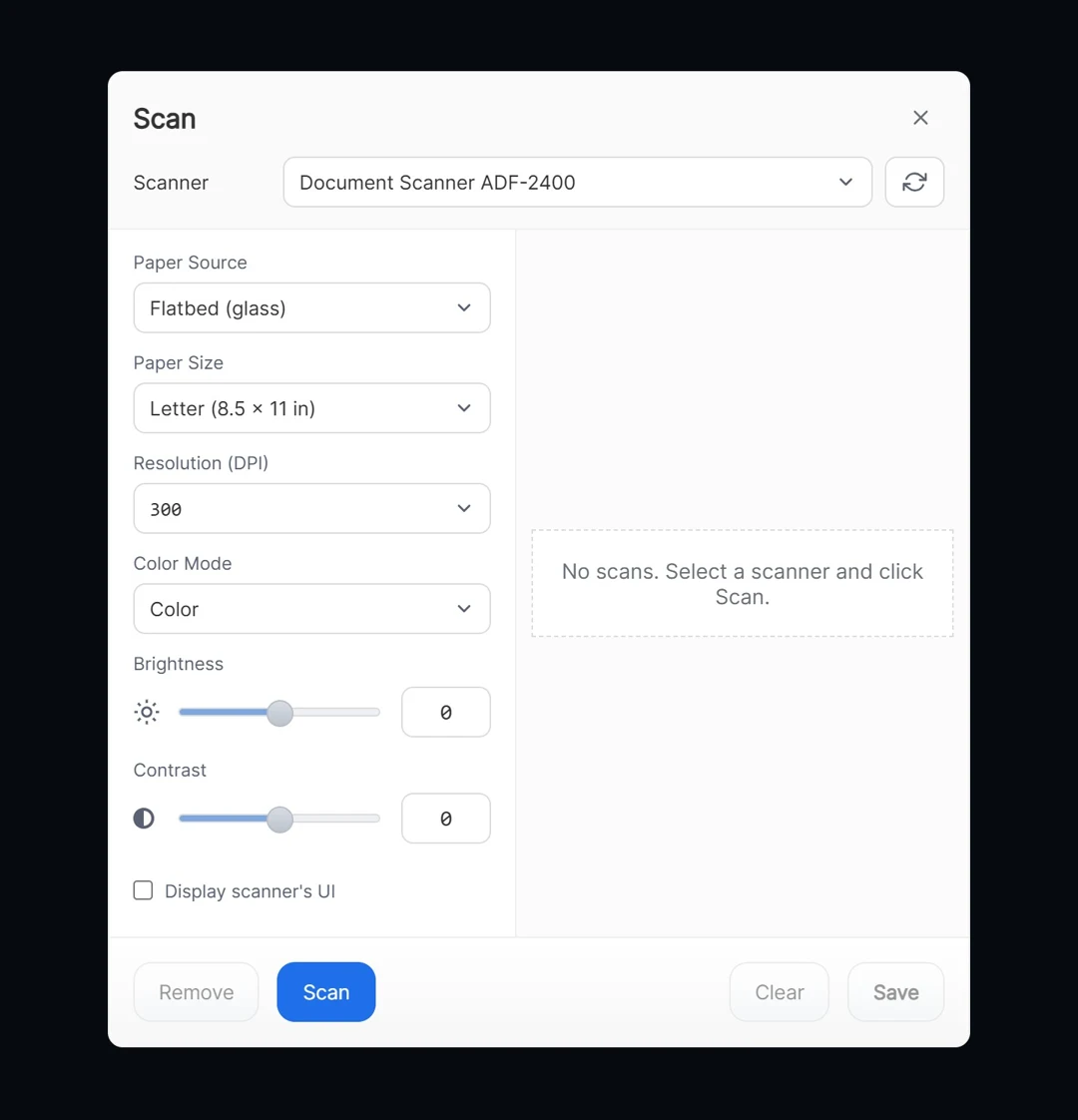
The dialog only ever offers what the connected scanner actually supports. The plans stack, so each one carries everything below it.
- Device discoveryTWAIN and WIA drivers on that machine, with refresh
- Paper sizeA4, A5, US Letter, from the list the device reports
- Colour modeColour, greyscale, black and white
- ResolutionFrom the device list, 300 DPI by default
- Native scanner dialogHand over to the scanner's own TWAIN window
- PDF, PNG, JPGPDF is assembled in the browser, not on a server
- Light and darkTwo ready made looks, or follow Windows
- One page at a timeA Starter session holds a single page. Scanning a stack starts at Professional.
- Feeder and duplexBoth sides in one pass, if the device has it
- Brightness and contrastRanges taken from the device
- Multi-page sessionScan a stack, not a sheet. Up to 100 pages in one document.
- Reorder and removeDrag the thumbnails, type a position, drop a page, clear all
- EditorRotate, flip, crop, brightness, contrast, greyscale, on canvas
- Eight languagesEnglish, Arabic, Spanish, French, German, Russian, Italian, Brazilian Portuguese
- Built to orderA language, a scan setting or a step in your workflow that we do not ship yet. Tell us and it goes into the product.
- Interface customisationBeyond light and dark: reshape the dialog so it carries your own product's look
- Priority supportYour requests move to the front of the queue
One tag.
One event.
The web component is a custom element. Drop it in the page, listen for one event, and you have the file. Everything else is optional.
full integration guide at scanbridge.dev/install →import '@scanner/web' <scanner-widget license-key="SB-…" // issued by us, bound to your domain file-type="pdf" lang="en"> </scanner-widget> const scanner = document.querySelector('scanner-widget') scanner.addEventListener('saved', e => { upload(e.detail.blob) }) scanner.addEventListener('closed', onClosed) scanner.show()
// event.detail, for file-type="pdf"
{
  "fileType": "pdf",
  "blob": Blob   // application/pdf
}

// for png or jpg, one entry per page
{
  "fileType": "png",
  "pages": [ {
    id,
    name,
    url,
    mimeType,
    blob
  } ]
}
If the service
is not there yet.
Two ways it gets onto the machine, and the widget handles both. Neither of them ends with a support ticket.
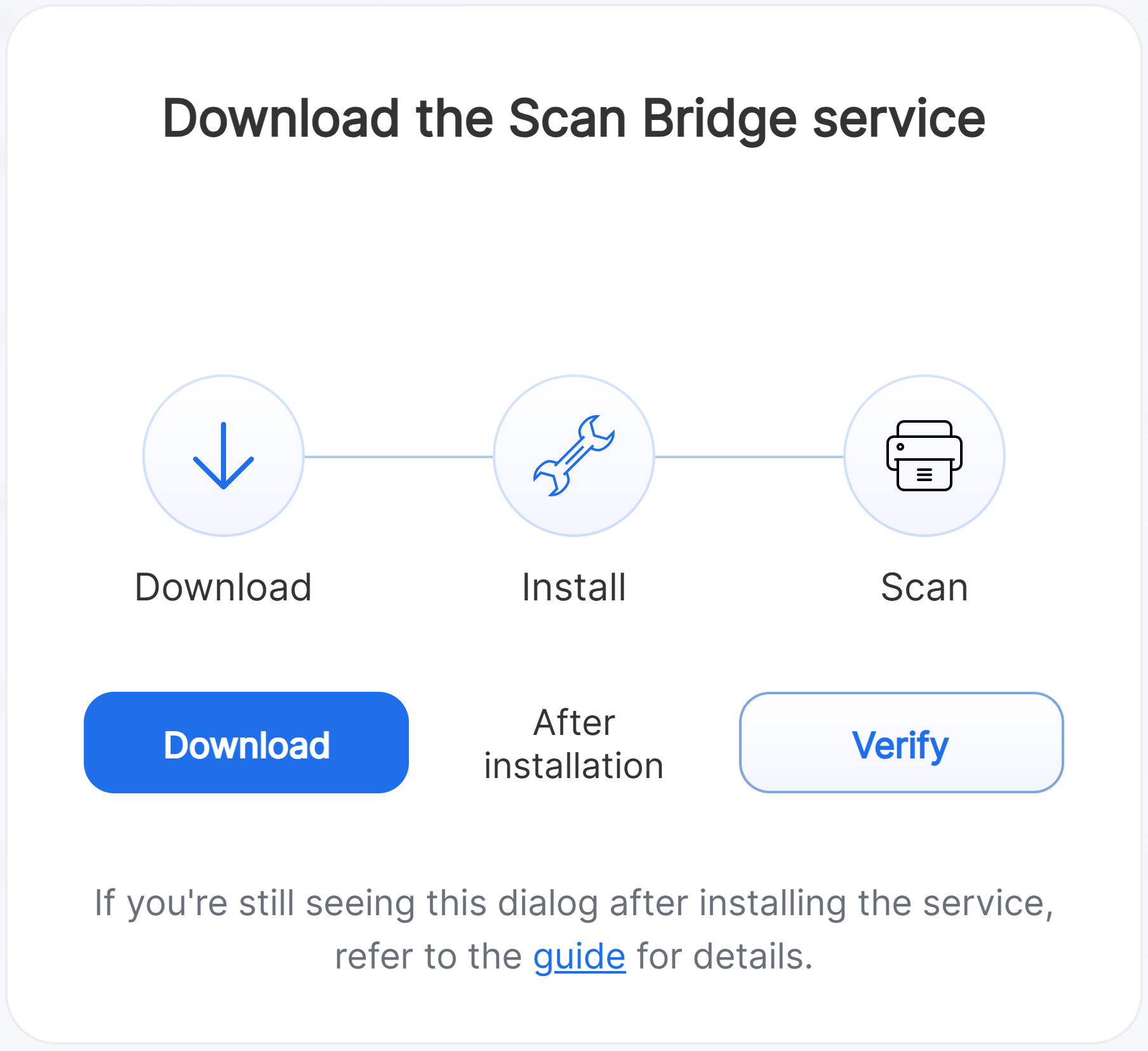
The widget notices the service is not answering and offers the installer itself. Download, install, then Verify. No link to send, nothing to explain.
One MSI, pushed to your users the usual way. Those users never see the dialog on the left at all.
The scan stays
on the machine.
Nothing is uploaded to make scanning work. What your application does with the file afterwards is your decision, not ours.
You set the licence key once, in your own bundle. The helper activates it quietly on the first scan.
The licence carries an allow-list of origins. A key copied out of your bundle does not work on somebody else's host.
Without a valid verdict the scan flow does not open. There is no client-side switch that lets it through anyway.
An activated machine keeps working without a connection until the licence really expires. A revocation on the server always beats the cached answer.
Windows only.
Said up front.
The browser is not the limit. The operating system is. Better you find that out here than three meetings into a purchase order.
Per application.
Not per seat.
One licence covers one production application and every internal user inside it. Two hundred people on the same application need the same one licence as two. Where a licence is counted per end-user computer instead, that is the same deployment billed two hundred times. Nobody counts heads here. Prices in USD.
Asked before
every purchase.
These come up before the paperwork starts, every time. If yours is not here, the address is at the bottom of this page.
Can we build before we have a domain?
Yes. Every key we issue covers localhost alongside the production domain you name. Additional live domains, staging included, are arranged with us.
Does it work with our framework?
Yes. The widget is a plain custom element, so anything that renders HTML can mount it: React, Angular, Vue, or a server rendered page. Ready made snippets for each are in the install docs.
How do we get a key?
You talk to us and we issue it, bound to your domain. A trial key is the same procedure without the invoice.
On how many machines can we install it?
As many as you need. The licence covers one application, not a count of machines or users, so the installer goes on every workstation that has a scanner, for each user who scans there.
Does the installer need administrator rights?
No. A standard user can run it, because it installs for that user rather than for the whole machine. Who runs it is your policy, not our requirement.
Does the end user have to activate anything?
No. You set license-key once in your page. The service activates that machine silently at the first scan.
Does it work over remote desktop?
The rule never changes: the browser and the service run on the same Windows machine, and that machine has to see the scanner as a TWAIN or WIA device. If your remote session forwards the scanner that far, we find it, because we ask the driver and never the hardware. If you are planning a terminal server rollout, talk to us before you buy.
Get a key.
Ask anything.
Tell us the domain the licence should run on and what you are building. A trial key is the same request, without the invoice.